
MyPilot
MyPilot is your in-editor assistant that helps you build and edit workflows with MyBotBox MyPilot, as well as understand and improve them. It can:
- Explain: Answer questions about MyBotBox and your current workflow
- Guide: Suggest edits and best practices
- Edit: Make changes to blocks, connections, and settings when you approve
MyPilot is a MyBotBox-managed service. For self-hosted deployments, generate a MyPilot API key in the hosted app (app.mybotbox.com → Settings → MyPilot)
- Go to app.mybotbox.com → Settings → MyPilot and generate a MyPilot API key
- Set
COPILOT_API_KEYin your self-hosted environment to that value
Context Menu (@)
Use the @ symbol to reference various resources and give MyPilot more context about your workspace:
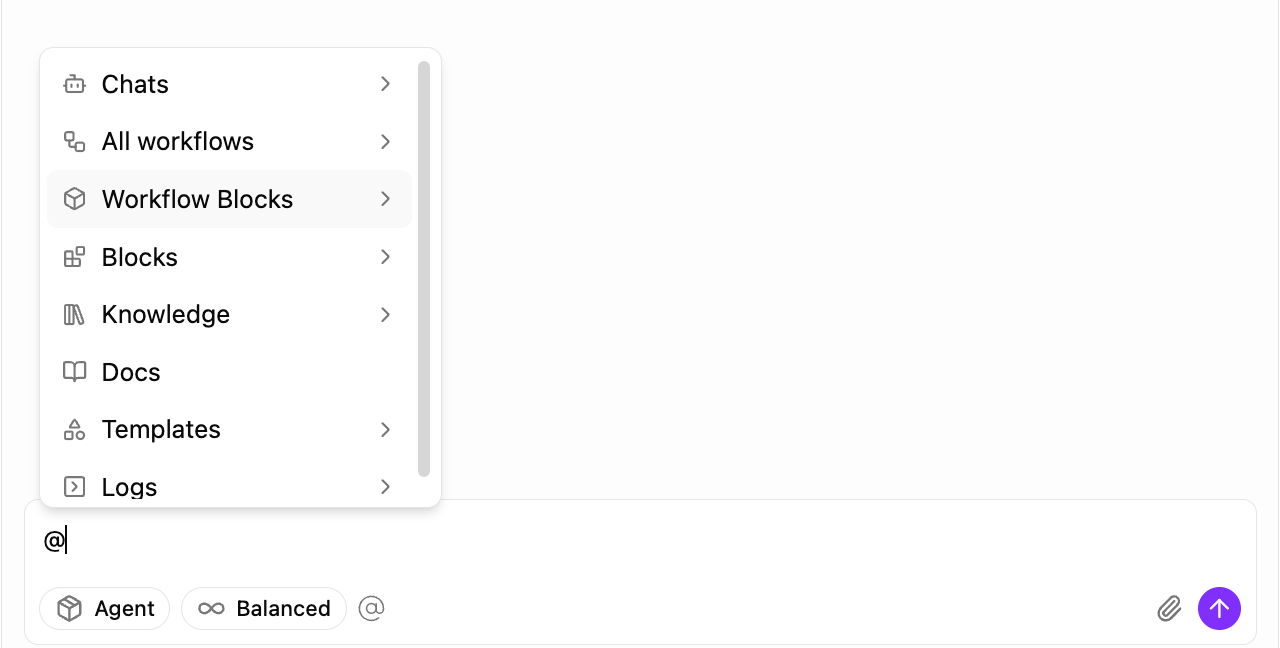
The @ menu provides access to:
- Chats: Reference previous copilot conversations
- All workflows: Reference any workflow in your workspace
- Workflow Blocks: Reference specific blocks from workflows
- Blocks: Reference block types and templates
- Knowledge: Reference your uploaded documents and knowledgebase
- Docs: Reference MyBotBox documentation
- Templates: Reference workflow templates
- Logs: Reference execution logs and results
This contextual information helps MyPilot provide more accurate and relevant assistance for your specific use case.
Modes
Ask
Q&A mode for explanations, guidance, and suggestions without making changes to your workflow.
Agent
Build-and-edit mode. MyPilot proposes specific edits (add blocks, wire variables, tweak settings) and applies them when you approve.
Depth Levels
Fast
Auto
Advanced
Behemoth
Mode Selection Interface
You can easily switch between different reasoning modes using the mode selector in the MyPilot interface:
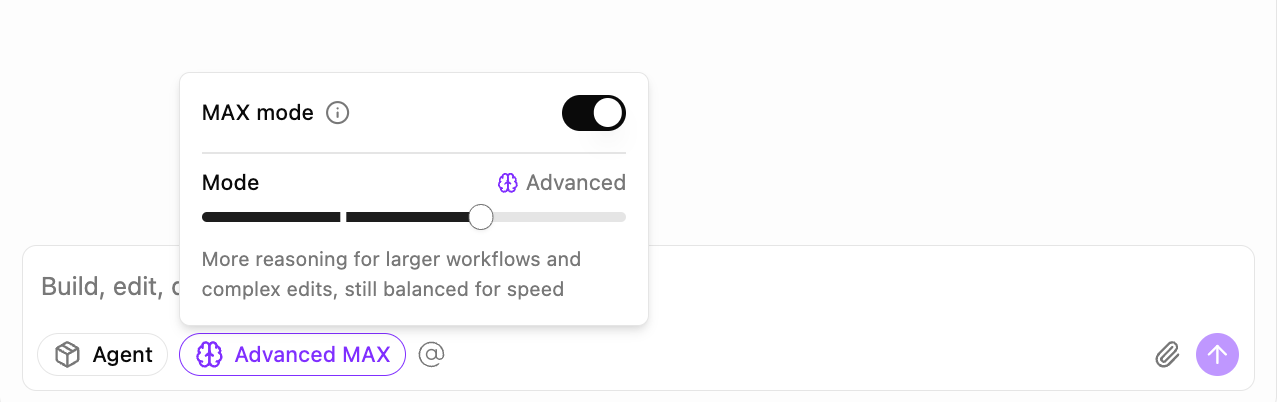
The interface allows you to:
- Select reasoning level: Choose from Fast, Auto, Advanced, or Behemoth
- Enable MAX mode: Toggle for maximum reasoning capabilities when you need the most thorough analysis
- See mode descriptions: Understand what each mode is optimized for
Choose your mode based on the complexity of your task - use Fast for simple questions and Behemoth for complex architectural changes.
Billing and Cost Calculation
How Costs Are Calculated
MyPilot usage is billed per token from the underlying LLM:
- Input tokens: billed at the provider's base rate (at-cost)
- Output tokens: billed at 1.5× the provider's base output rate
copilotCost = (inputTokens × inputPrice + outputTokens × (outputPrice × 1.5)) / 1,000,000| Component | Rate Applied |
|---|---|
| Input | inputPrice |
| Output | outputPrice × 1.5 |
Pricing shown reflects rates as of September 4, 2025. Check provider documentation for current pricing.
Model prices are per million tokens. The calculation divides by 1,000,000 to get the actual cost. See the Cost Calculation page for background and examples.