
Introduction
MyBotBox is an AI workflow platform that lets anyone build, deploy, and orchestrate AI agents — visually, conversationally, or via API. Build agents that search the web, sync your tools, run on a schedule, and ship to production without managing infrastructure.
Two ways to build
MyBotBox is designed for two audiences in the same workspace. Switch between modes with one click.
🤖 Automation Mode
Tell the Orchestrator what you want in plain English and it builds the workflow for you. Best when you have an outcome in mind ("summarize my Gmail every morning and post it to Slack") but don't want to wire blocks by hand.
- Conversational workflow builder — describe the job, watch the agent assemble the blocks
- Multi-chat history — every conversation is saved; pick one up days later
- SSE streaming — answers stream in real time, no spinner staring
- Workflow binding — the chat thread is linked to the workflow it built; iterate without losing context
- Featured agents gallery — start from a template (research assistant, customer support, content writer) and customize
🧑💻 Developer Mode
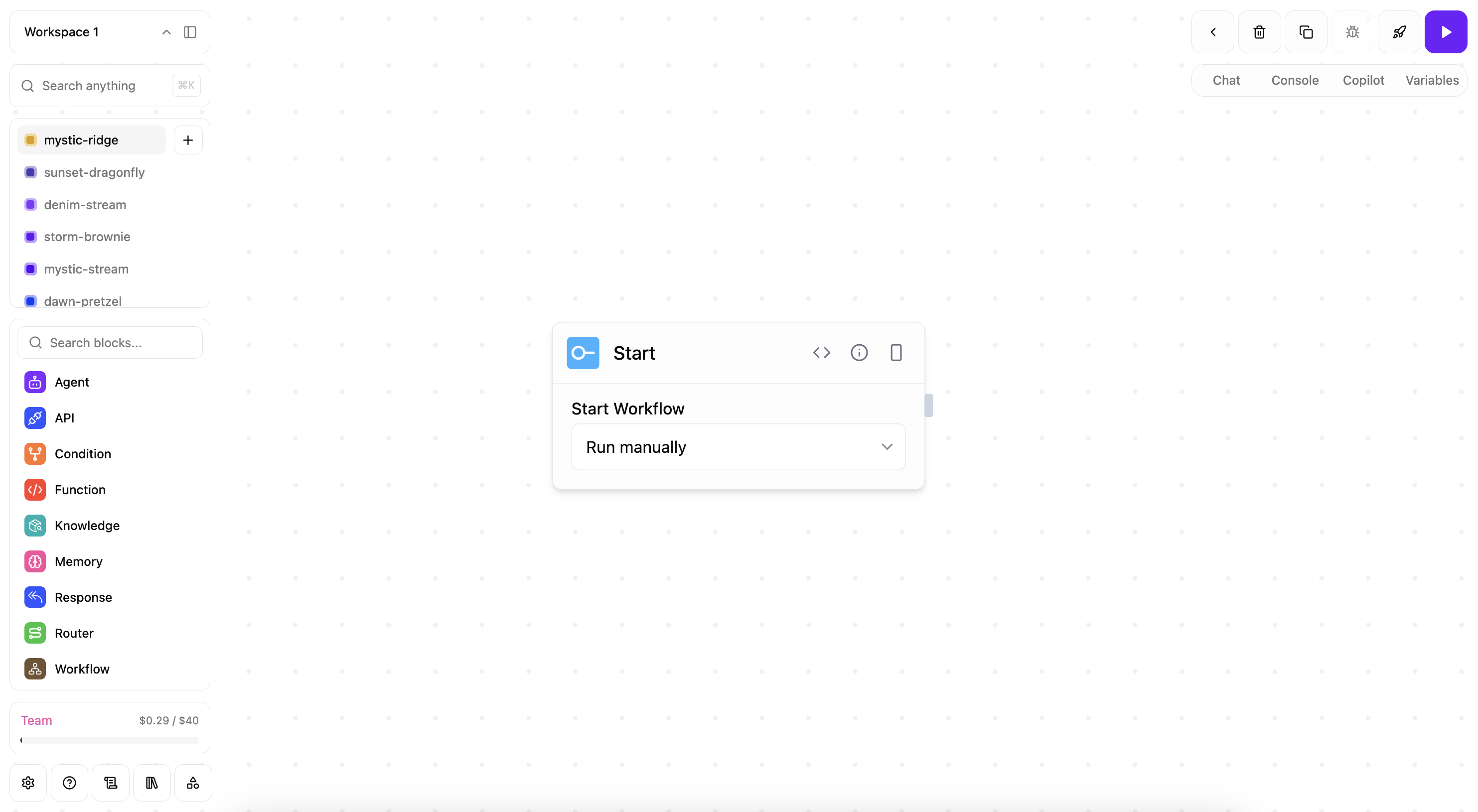
The full visual canvas with 180+ blocks. Best when you need precise control — branching logic, custom code, complex data flows, deterministic execution paths.
- ReactFlow canvas — drag, drop, connect; real-time multiplayer editing
- 180+ blocks across 9 categories — AI agents, tools, logic, I/O, knowledge bases, sandbox functions, evaluators, triggers, outputs
- Custom code blocks — drop in JavaScript/TypeScript, runs in a sandboxed worker with timeouts and
secureFetch - Validation panel — pre-deploy checker catches missing references, broken connections, unconfigured blocks
- YAML import/export — version your workflows alongside your codebase
- Live debugger — execution log, per-block traces, retry from any step
What you can build
AI assistants & chatbots — agents that search, schedule, email, and integrate with your stack. Business process automation — data entry, report generation, customer support, content pipelines. Knowledge-base RAG — ingest documents, chat with them, embed answers in your product via API. API endpoints — turn a workflow into a REST endpoint with auth, rate-limiting, and versioned deployments. Event-driven pipelines — react to webhooks, scheduled jobs, or external events from Slack, GitHub, Stripe, etc.
Triggers — how workflows start
A workflow can run automatically from any of these:
- Chat — kick it off from the Orchestrator
- Manual run — one-click execution from the canvas
- REST API —
POST /api/workflows/<id>/executewith auth - Schedule — cron-style recurring jobs
- Webhook — provider-signed inbound webhooks for 16 providers including Slack, Stripe, GitHub, Telegram, WhatsApp, Microsoft Teams, Gmail (Pub/Sub push), Google Forms, Airtable, Circleback, Outlook, plus a generic-webhook block
- API Prompt — invoke from another agent / SDK call with a prompt and structured output
Custom skills + knowledge
- Skills — Markdown-defined custom skills at the workspace, organization, or private level. Agents discover skills via
<available_skills>and load them on-demand. - Knowledge bases — Upload PDFs, websites, notes; chunked + embedded automatically; reprocessed every 6h. Use as RAG context in any agent block.
- MCP integration — Connect any Model Context Protocol server (PostHog, Notion, Figma, your own) and expose its tools to agents.
Built-in integrations
90+ providers wired out of the box. Highlights:
- AI models — OpenAI (incl. Azure), Anthropic (incl. Azure), Google Gemini + Vertex, Bedrock, Groq, Cerebras, DeepSeek, Mistral, xAI, OpenRouter, Ollama (local models)
- Communication — Gmail, Slack, Microsoft Teams, Telegram, WhatsApp, Outlook
- Productivity — Notion, Google Sheets, Airtable, Monday.com, Google Calendar, Google Drive
- Development — GitHub, GitLab, Jira, Linear, browser automation (Playwright/Browser-Use)
- Search & web — Google Search, Perplexity, Firecrawl, Exa AI, ArXiv, HuggingFace
- Databases & vectors — PostgreSQL, MySQL, Supabase, Pinecone, Qdrant, Chroma
- Storage — Google Cloud Storage, S3, Azure Blob
- Payments — Stripe (webhooks + invoicing)
- Observability — Datadog, Sentry, PostHog, LangSmith
Anything missing? Use the MCP integration to plug in any external service.
Workspaces, teams & permissions
- Multi-tenant workspaces — each user gets a workspace; invite teammates, switch between orgs
- Role-based access — owner, admin, member, viewer; workspace-scoped permissions per workflow
- Permission groups — group-based grants (
autoAddNewMembersflag, group-level workspace/workflow access) - Team management — invitations, role assignment, SSO-ready (Google + Email/Password today)
- Audit log — every action stamped with actor + reason for compliance review
Billing & usage
- Free → Starter ($29) → Pro ($79) → Enterprise ($199) monthly, or 20% off annually
- Usage dashboard — token spend by model, execution counts, knowledge-base size — at
/workspace/<id>/usage - Billing portal — Stripe-managed cards, invoices, plan changes — at
/workspace/<id>/billing - Spending controls — set per-workspace overage caps so a runaway agent can't drain credits
Reliability & security
- Function-block sandbox — user code runs in
worker_threadswith wall-clock timeouts, isolated globals, andsecureFetch(egress allow-list) - Webhook deduplication — DB-level idempotency keys; ±20% jitter on poller backoff
- TOTP 2FA + email OTP — opt-in two-factor and required email verification
- Cookie consent — granular per-category (analytics, replay) for GDPR / ePrivacy
- CSP + input validation + rate-limit — built-in security middleware on every API route
- Soft delete + 30-day grace — user-requested deletion is gated by a 30-day undo window
Deployment options
Cloud-hosted — app.mybotbox.com. Managed Cloud Run on GCP, blue-green deploys, automatic scaling, weekly security scans, built-in OTEL traces.
Self-hosted — Docker / Cloud Run / Kubernetes; bring your own Postgres + GCS/S3; supports local AI models via Ollama for complete data privacy.
SDKs & API
- TypeScript SDK —
@yarlisai/ts-sdkfor invoking workflows + managing resources programmatically - Python SDK —
yarlisai-python-sdk(PyPI) for the same surface in Python - REST API — every UI action is also an authenticated API call; OpenAPI spec available
- CLI —
yarlisai-clifor local development, deploy automation, and credential management